The session
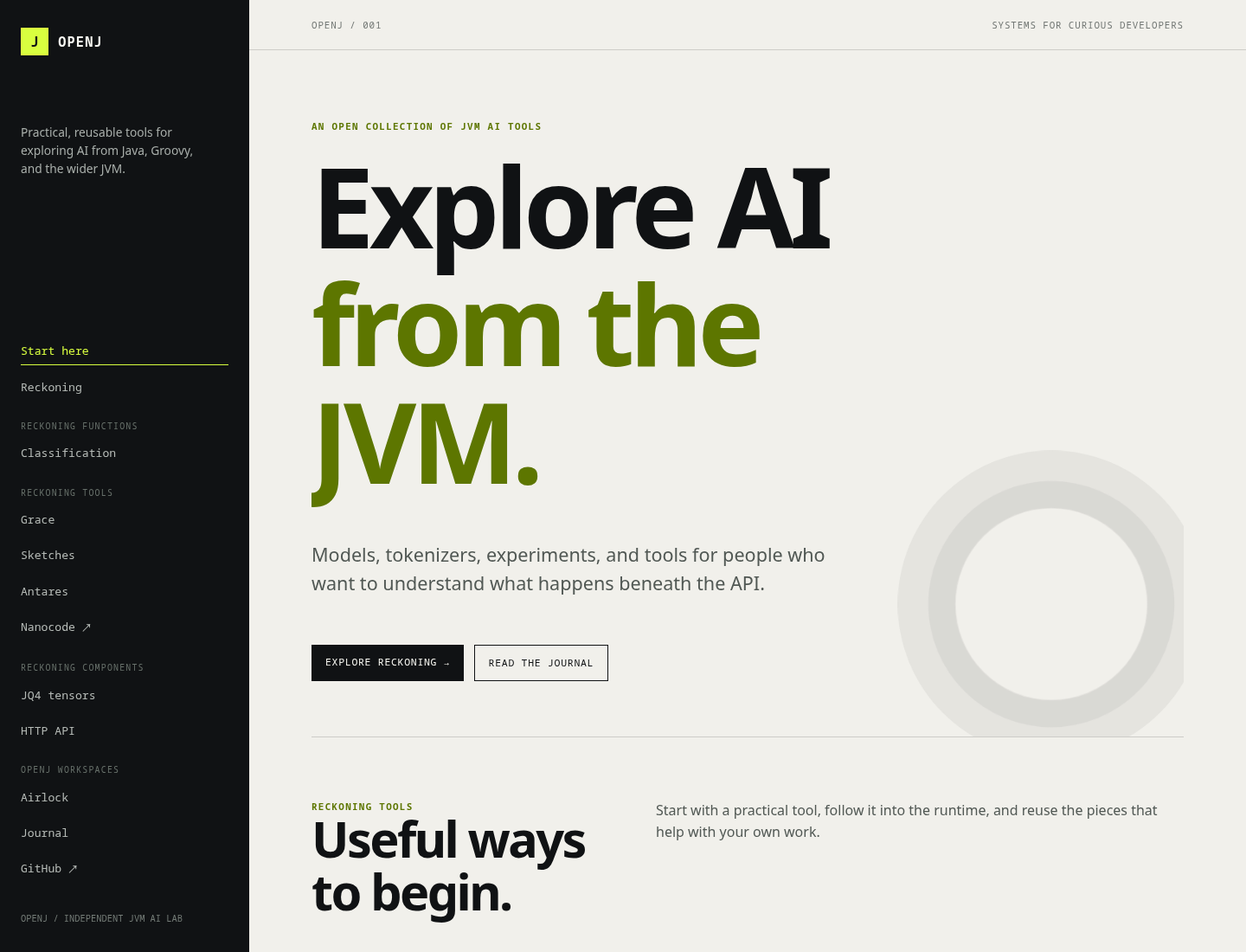
We started a local server for the site, asked Chromium to load the actual index.html, and captured the rendered result. The browser did not read a design description. It saw the page as a user sees it.
python3 -m http.server 8765 --directory docs

chromium --headless --no-sandbox --disable-gpu \
  --window-size=1440,1100 \
  --screenshot=/tmp/openj-index-rendered.png \
http://127.0.0.1:8765/index.htmlWhat Chromium saw
Read the palette
The agent inspected the screenshot and reported what it found:
[agent / screenshot analysis]
>> The page uses a deliberately small palette.
>> Canvas: #f1f0eb, a warm off-white surface.
>> Structure: #101214, a near-black navigation rail and button color.
>> Signal: #d9ff3f, the bright lime used for active states and the brand mark.
>> Headings: #5d7600, a darker olive green for emphasis.
>> Contrast: the dark rail frames the quiet canvas while lime and olive carry the OpenJ signal.Read the style
Chromium makes the design language obvious: a fixed left rail, oversized editorial typography, monospace metadata, thin rules, and a circular technical motif in the hero. The layout feels like a field notebook for systems work rather than a generic product landing page.
That observation is useful. A browser capture gives us a shared reference for deciding whether a new Airlock surface belongs in the same visual world, whether the mobile layout holds together, and which details should change before shipping.
Turn inspection into action
The next step is not to trust the screenshot forever. Change the CSS, render again, and compare the result. Airlock keeps the browser, source tree, and development tools together in a workspace whose mounts and permissions are explicit.
Practical payoff: the browser image turns visual QA into a repeatable command, not a hand-wavy approval at the end of a build.